Watch and download your Frame.io videos right from your dashboard
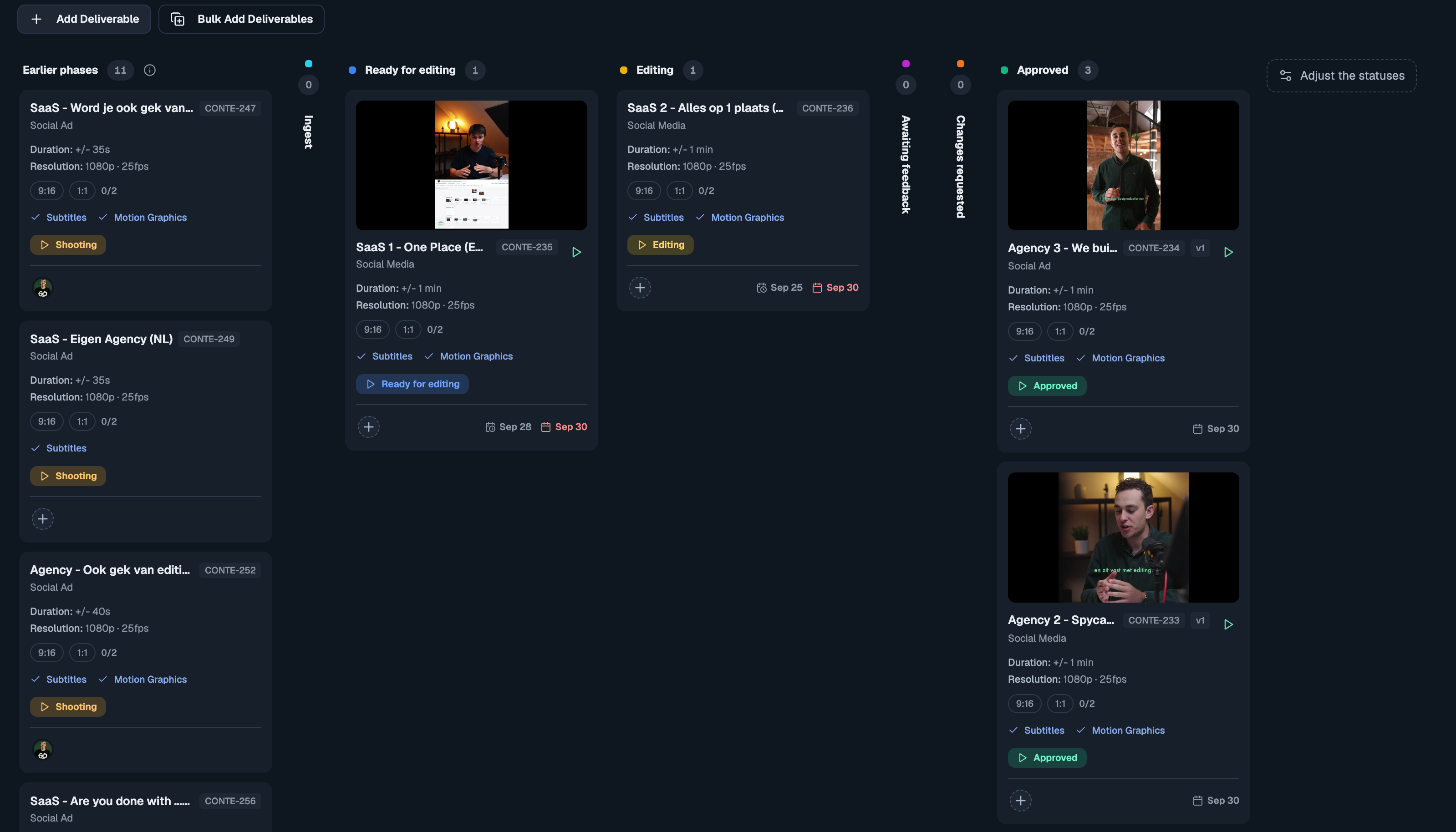
This is an exciting one! Until now, a deliverable linked to Frame.io was really just a link: to see the cut, you opened Frame.io in a new tab. Not anymore. The video now lives in the dashboard itself. You see it on the card, play it on the board, and download the original, all without opening Frame.io.
See every cut on the board
Every deliverable with a Frame.io video now shows its preview frame on the card, so you can tell which cut is which at a glance. Click the frame and the cut plays right there on the board. Step to the next or previous cut without closing the player. When a new version comes in, the frame updates on its own. Prefer a compact board? Hide the previews under the board's Fields menu.
Watch and download from the Video tab
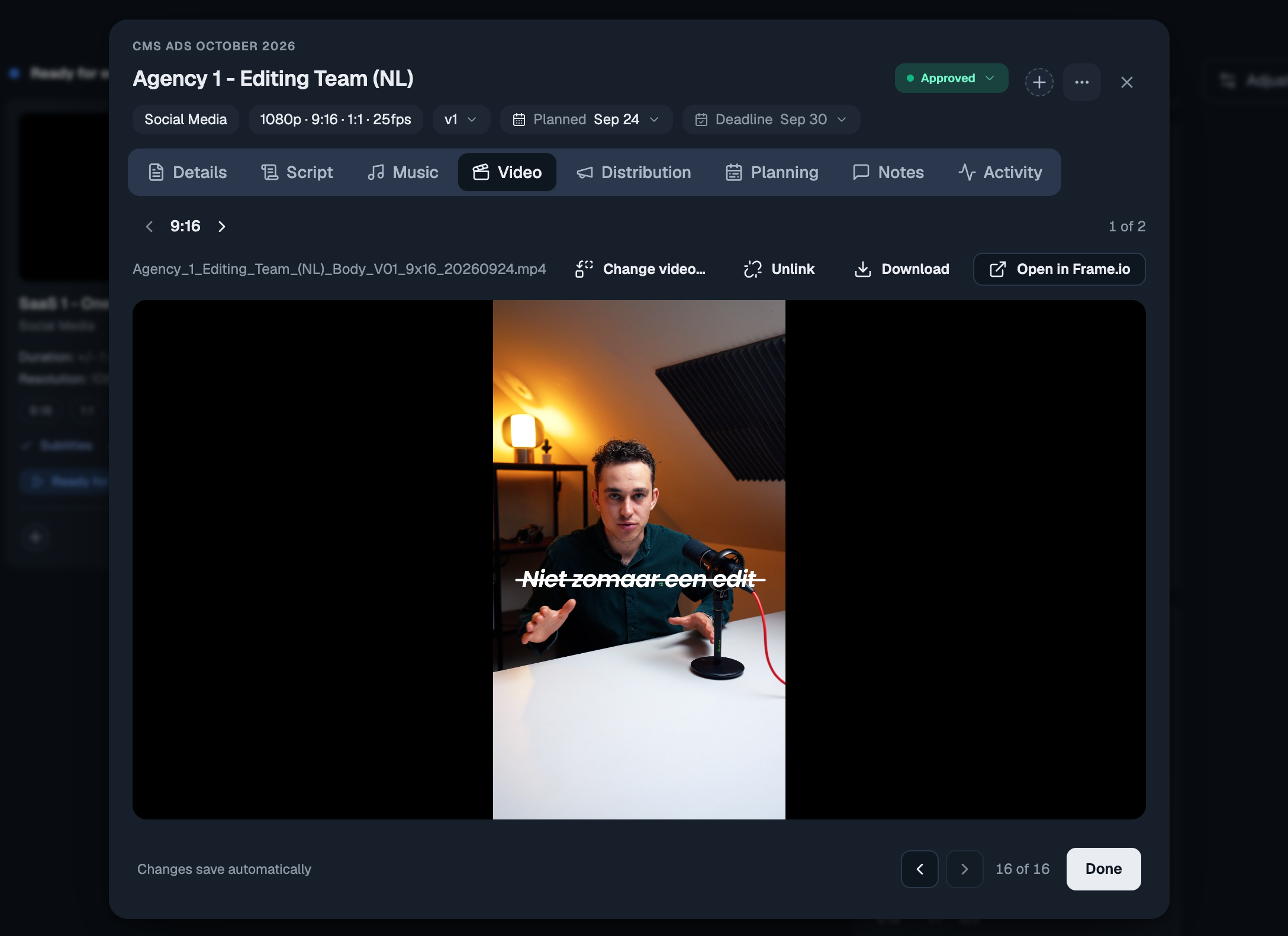
Open a deliverable and its Video tab plays the cut in the panel. The Download button fetches the editor's original upload straight from Frame.io, under its own file name. That works for files a browser can't play too, like a ProRes master.
Comments and approvals still happen in Frame.io, one click away, and your clients keep getting their review link as before.
One video for each output
When a deliverable has several outputs (a 9:16 and a 1:1, or Hook A, Hook B and Body), each one now has its own video. The Video tab steps between them, and each output plays, downloads and links on its own. New uploads find the right output from the ratio or hook in the file name. If a cut lands on the wrong one, move it over with one click.
Linking to Frame.io is easier
A deliverable without a video lists the project's Frame.io files, the likeliest match first, so linking is one click. Change video… fixes a wrong link.
The Link… picker shows each video's preview frame next to its file name. A stacked video shows its newest version.
When the same file name shows up again, newer, elsewhere in the folder, the older copy is marked superseded and listed below the current cut. Automatic linking no longer picks it up.
If Contentmaker edits for you: Share with Contentmaker now creates the project's Frame.io folder for you, next to its Dropbox folder, laid out as end client, then the project with its date. That also works when you share a project that already existed. A quote gets its folders once you accept it.
Also new
A Frame.io upload or comment that failed to process is now retried instead of lost, so the video still gets linked and the comment still moves the card.
Empty board columns fold to a narrow strip, so the busy columns sit closer together. You can still drop a card on the strip.
Want the day-by-day? Every release lands inside the app under What's new. Open the ? help menu at the bottom of the sidebar. This changelog collects the highlights; that page has the lot.
Got an idea, or found something broken? Give feedback, in the same menu, opens the feedback board. Post a feature request or a bug report, and upvote what other people have asked for. The most-wanted requests are what we pick up next, and you can follow the whole Roadmap from there too.