Changelog

Follow new updates and improvements to contentmaker.

Refer a company, earn credit
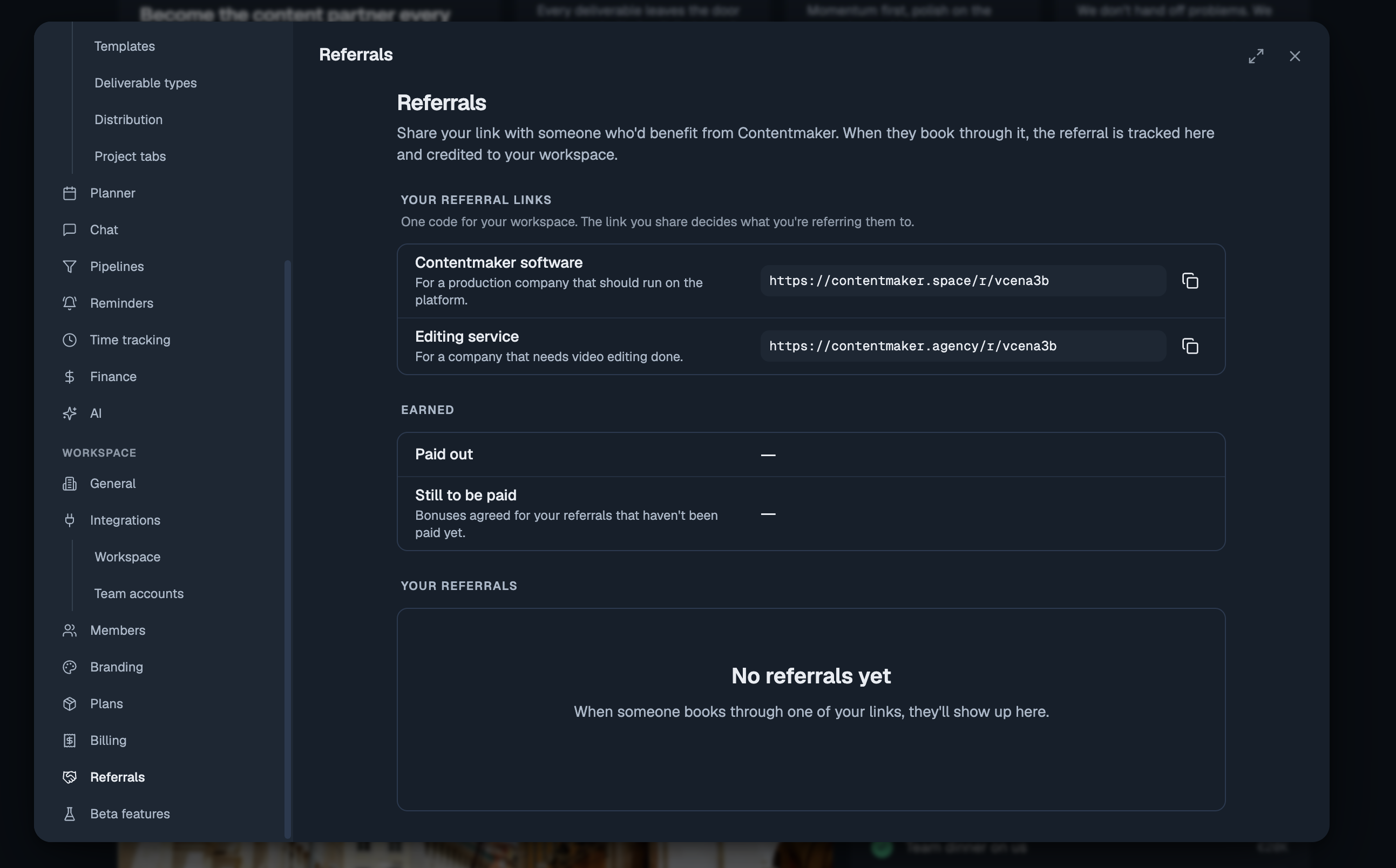
Know a production company that should be running on Contentmaker, or a brand that needs video editing done? Every workspace now has its own referral links, and a referral that becomes a customer earns you credit.

What you get

When someone you referred becomes a customer:

  • Contentmaker software: you get €80 credit on your next invoice for every seat they buy. Refer a team that buys 10 seats for a year and you get €800 off.

  • Editing service: you both get €250 in editing credits: €250 for you and €250 for the client you referred.

Where to find your links

Open Settings → Referrals. You have one code with two links, one for each thing you can refer someone to. The link you share decides which programme the referral counts for. Copy it and send it on.

Follow what happens

The same page lists everyone you've referred, with the programme, the date and where it stands: in progress, became a customer or didn't go ahead. Next to that are your bonuses, paid out and still to come.


Want the day-by-day? Every release lands inside the app under What's new. Open the ? help menu at the bottom of the sidebar. This changelog collects the highlights; that page has the lot.

Got an idea, or found something broken? Give feedback, in the same menu, opens the feedback board. Post a feature request or a bug report, and upvote what other people have asked for. The most-wanted requests are what we pick up next, and you can follow the whole Roadmap from there too.
New

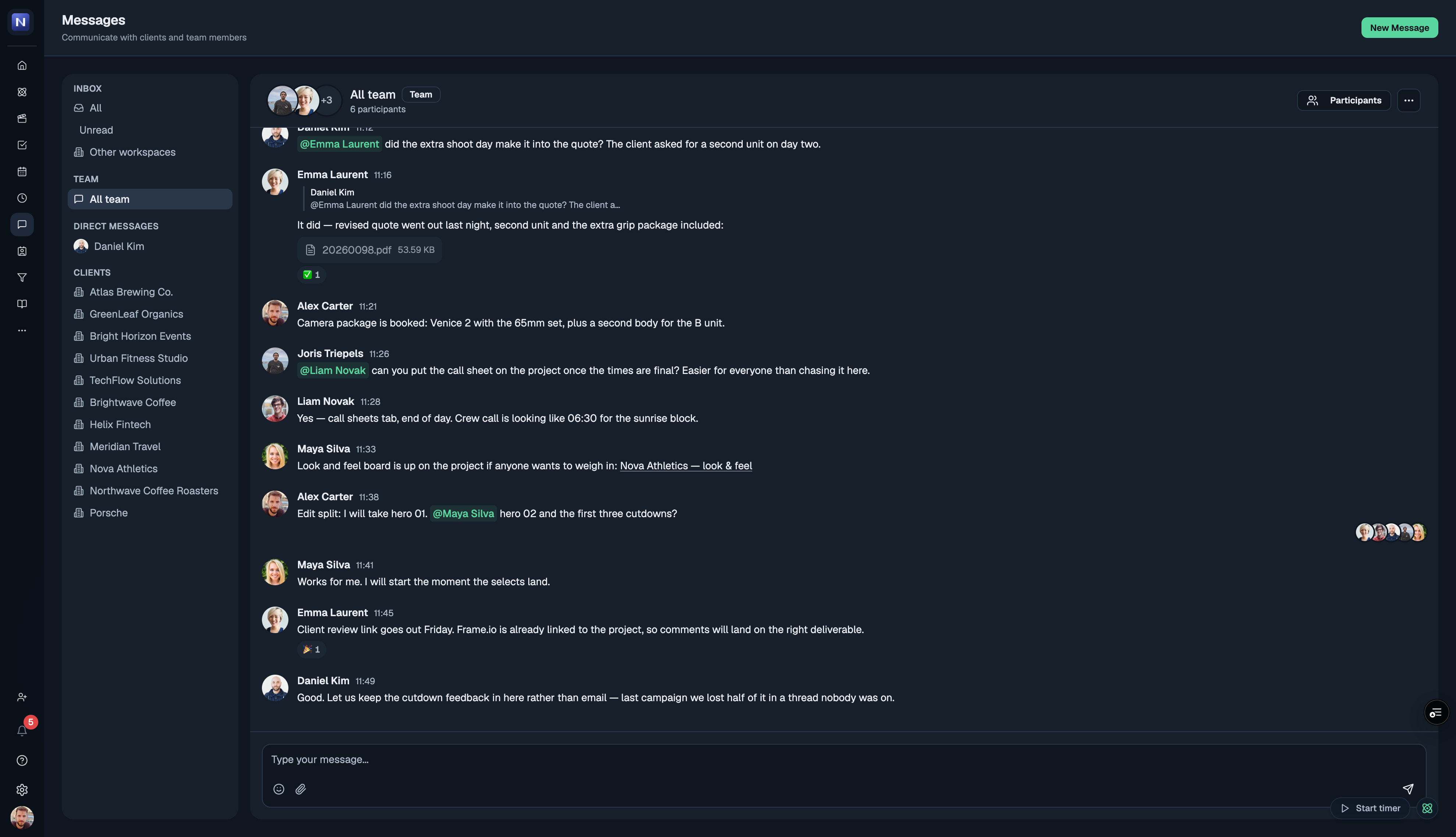
Chat is now part of the app

Chat is out of beta. Messages is on for every workspace now — no switch to find, nothing to enable. The reason we built it is simple: the conversation about a project almost never lives where the project does. It is in a WhatsApp thread, someone's inbox, a Google Chat room named after a client from two years ago. Then a shoot moves, and the one person who needed to know was in the other thread. Chat puts the conversation next to the work it is about, so the context comes with it.

Every project brings its own channel

Create a project and its channel comes with it. Your clients each get a place in Messages, with their projects' channels underneath — so the conversation about a film sits with that film instead of in one endless thread per client. Every project also has a Chat tab beside its deliverables, opening the same conversation from the other direction. When a project is finished the channel moves to Archived, so the list stays as short as the work you actually have on.

Your team, and the people outside it

Direct messages for one-to-one, channels for a named group of people. If you work with someone in another workspace on the platform — a client, a freelancer, an editing partner — they appear under External DMs, kept visibly separate from your own team so you always know who is in the room.

It keeps up with you

  • Unread counts on the sidebar and in the browser tab title, so you can tell from another tab that something arrived

  • Optional desktop notifications — off until you turn them on, in Settings → My account → Chat alerts

  • Mute any conversation that does not need you

  • Search across every message you can see

  • Reply to a specific message by quoting it, so a busy thread stays followable

  • See who has read what

  • Drag images straight into a message

Where to find it

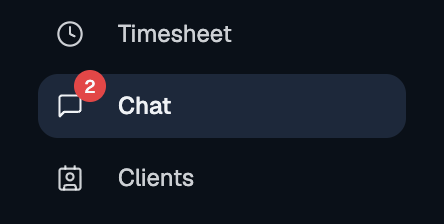
The speech-bubble icon in the left rail, or the Chat tab inside any project.

What we want to build next: your clients in the conversation

Right now Chat reaches your team and anyone you work with who is on the platform themselves. A client who only has a share link cannot answer you yet — and that is the piece we want next: a portal your client signs into, an email when you send them something, and their reply landing back in the thread on the project it belongs to. No more forwarding feedback from an inbox into the place the work lives.

Tell us what you think

It is early for this one and we want to know how it holds up against whatever you are using today — what is missing, what would have to be true for your team to move a real conversation into it. Message us or post on the feedback board.


Thanks, Joris

New

Introducing our feedback & roadmap hub

Your voice now shapes what we build 🛠️

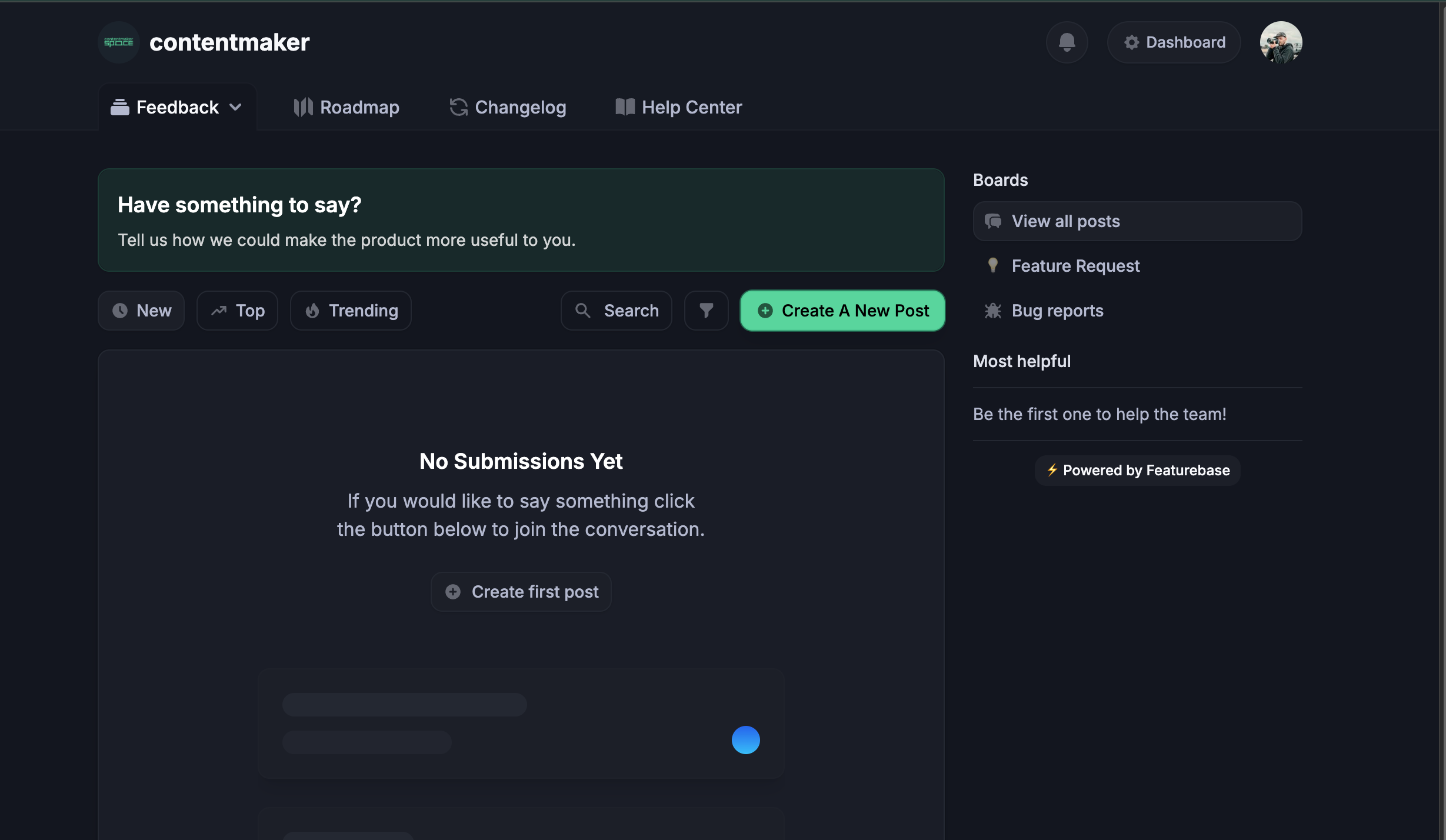
We've added a dedicated space where you can tell us what to build next, follow what's coming, and keep up with everything we ship. It's integrated right into your dashboard — no separate account or extra logins.

What you can do here

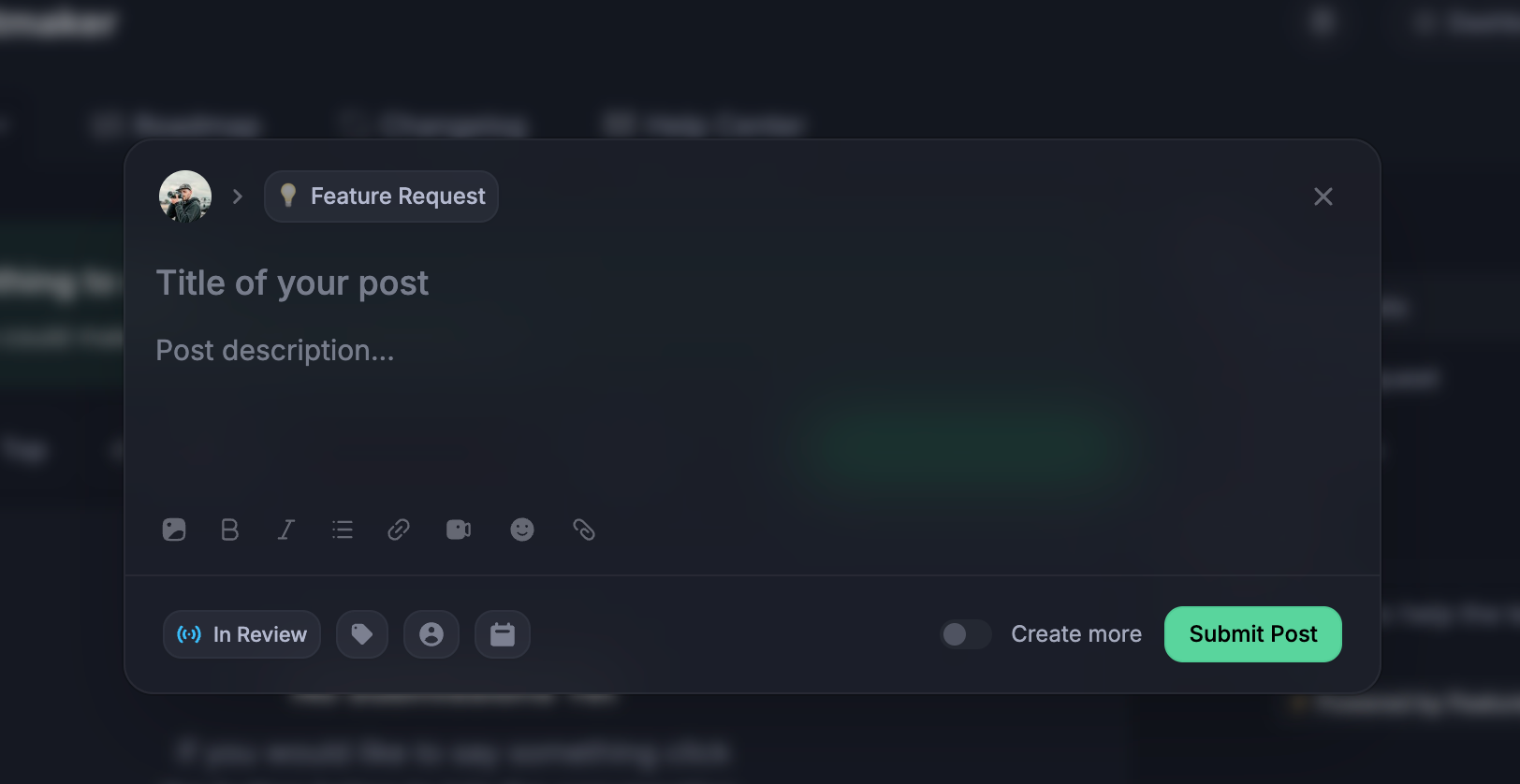
  • 💡 Request features — Got an idea? Post it. The more detail, the better.

  • 🐞 Report bugs — Something not working? Let us know so we can fix it fast.

  • 👍 Upvote & comment — Back the ideas you care about. The most-wanted requests rise to the top and help us prioritise.

  • 🗺️ Follow the Roadmap — See what's planned, in progress, and recently shipped.

  • 📣 Read the Changelog — Every update we release lands here (including this one).

  • 📖 Browse the Help Center — Guides and answers to common questions.

How to open it

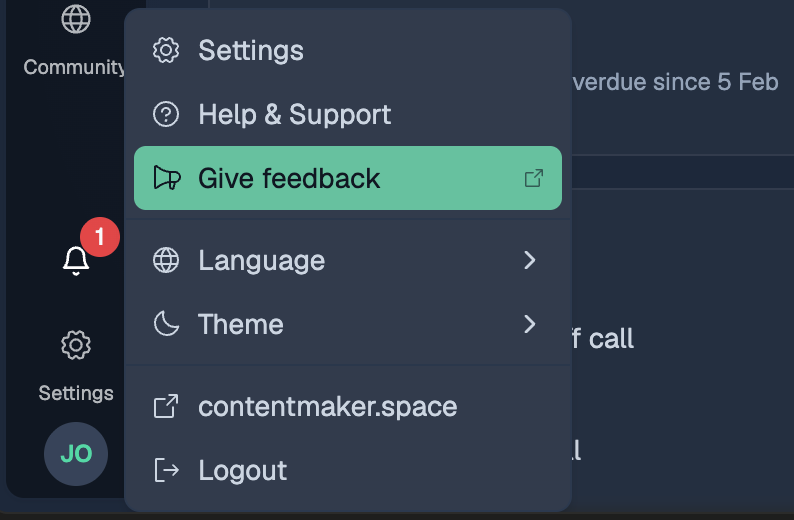
You'll find it under "Give feedback" in your account menu in the dashboard. One click opens the board — submit a feature request or bug report in seconds.

Go to the feedback dashboard from your account menu
Add new feature requests or bug reports

Why we built this

We'd rather build what you actually need than guess. This makes it easy for you to steer the product. Every post is read by the team, and you'll get notified when something you requested moves forward or ships.

Got something to say? Head to the Feature Request board and tell us. We're listening! 💬

New